
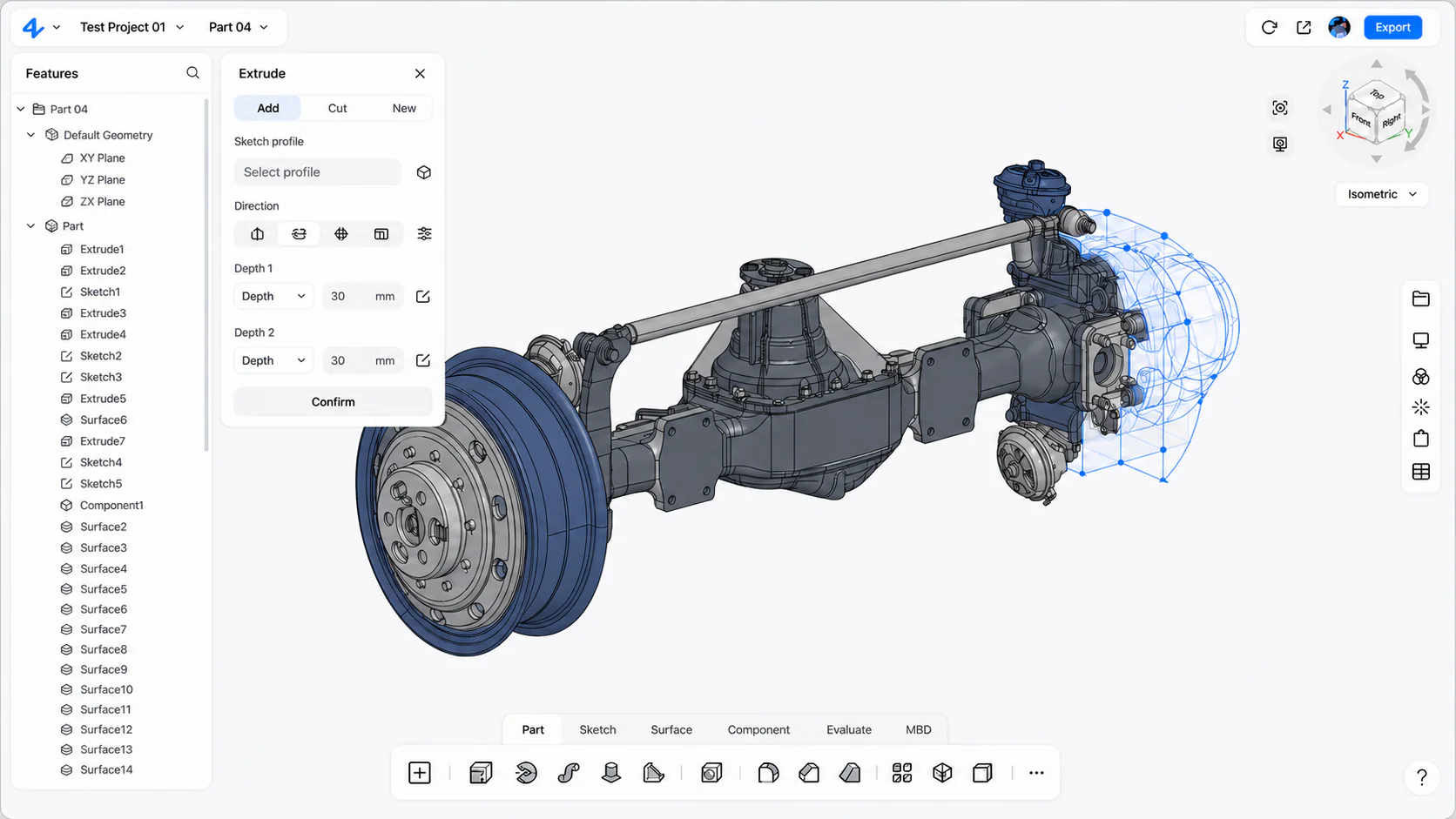
Professional browser CAD from classroom to project work
Student CAD software for engineering education
Give students one place to build precise parts, assemblies, and drawings—then make the design process visible enough for instructors and project teammates to review in context.
zCAD Online gives students and educators browser-based parametric CAD for mechanical parts, assemblies, specialized geometry, engineering drawings, versions, and collaborative review.
Students learn less when CAD work is trapped on one machine and reviewed only at the end.
Engineering education needs more than a finished screenshot. Students need editable geometry, visible design intent, complete assemblies, drawings, and a clear path for feedback and revision.
Engineering pressures
Access varies
Students may work across classrooms, personal computers, shared labs, and project teams with different hardware.
Process is hard to review
A final exported model does not show how dimensions, features, references, and assembly decisions developed.
Projects need teamwork
Engineering courses increasingly connect individual modeling skills to shared product and manufacturing projects.
Teach professional CAD through editable projects, not isolated files.
Bring parts, assemblies, drawings, versions, and browser review into one learning path that students can continue beyond the first exercise.
Parametric CAD fundamentals
Teach dimensions, constraints, feature-based modeling, design intent, and revision through editable mechanical geometry.
Parts, assemblies, and drawings
Move from individual components to product structures and model-linked engineering documentation in one workspace.
Project and team review
Share the current browser model with permitted instructors and teammates for inspection, feedback, and revision.
Engineering portfolio output
Preserve editable project history and create supported drawings or exchange files for coursework and portfolio review.
Move from CAD fundamentals to a reviewable engineering project.
The workflow builds modeling knowledge step by step while preserving the design context instructors and teammates need to review.
Learn design intent
Build sketches, dimensions, constraints, features, and references that remain understandable when the design changes.
Develop the product
Move from individual parts into assemblies, specialized geometry, and model-linked engineering drawings.
Review the work
Share the current browser model with permitted instructors and teammates for inspection and feedback.
Revise and present
Apply approved changes, preserve version history, and prepare supported project or portfolio output.
Project inputs
- Course and project requirements
- Dimensions and engineering constraints
- Instructor and team feedback
Expected outputs
- Editable parametric models
- Parts assemblies and model-linked drawings
- Reviewable project history
Teams involved
- Students
- Educators and instructors
- Project teammates
Connected workflows
Create and Configure CAD
Create editable parametric CAD from requirements, existing geometry, or a blank project—then configure parts, assemblies, and product variants from one reusable design definition.
Review and Collaborate
Review multi-format CAD in the browser and keep engineers, suppliers, clients, and manufacturing teams aligned around the same current 3D design.
Manage Data and Change
Keep CAD projects, versions, permissions, reviews, and design changes connected to the current cloud model.
Document and Deliver
Turn approved 3D product data into model-linked drawings and supported engineering delivery formats.
Product
zCAD Online
Cloud-native 3D CAD software for parametric parts, large assemblies, engineering drawings, and real-time design collaboration in your browser.
Frequently asked questions
What should student CAD software support?
Student CAD software should support editable sketches, dimensions, constraints, features, parts, assemblies, and drawings so learners can understand design intent instead of producing only a final visual model.
Can students use zCAD Online without installing desktop CAD?
zCAD Online runs in a supported modern browser. Students should confirm current account, browser, device, storage, and plan requirements before beginning a course or team project.
How can instructors review student CAD projects?
Permitted instructors can open the current browser project, inspect geometry, review the assembly, and discuss the model in context. Exact classroom administration and assessment workflows should be confirmed during evaluation.
Is there a free zCAD plan for student project work?
zCAD publishes a Free plan for individuals exploring zCAD Online and non-commercial CAD work. Students and institutions should check the current pricing page and terms for eligibility, storage, privacy, commercial-use, and capability details.
Does zCAD provide an education license, curriculum, or certification?
This page does not promise a dedicated institutional license, learning-management integration, curriculum, certification, or classroom administration system. Contact zCAD if a school needs a formal education arrangement.
Let students learn CAD by building work that stays editable.
Create parts, assemblies, drawings, and project revisions in a browser-based engineering workspace designed for continued learning.
Ready when the project is
Start with the workflow your team can verify.
Open zCAD Online in the browser, or talk with zCAD.ai about the industry workflow on this page.